From a gift card quote to an order you can follow
Choose the card and payout options available in your account. Card details are reviewed before an approved trade is credited to your wallet.
Check a quote
Select the card, issuing region, format and value. Review the quote for your chosen payout country.
Submit your card
Sign in, enter the required card details and attach clear card or receipt images when requested.
Follow your order
Check review progress in your account. See your wallet balance and follow withdrawal requests separately.
Talk to our team
Open Chat for text and photo support. Keep the conversation with your account inside the app.
See the KolaCash app
Rates, Sell, Chat and Account give you a clear place for each step.
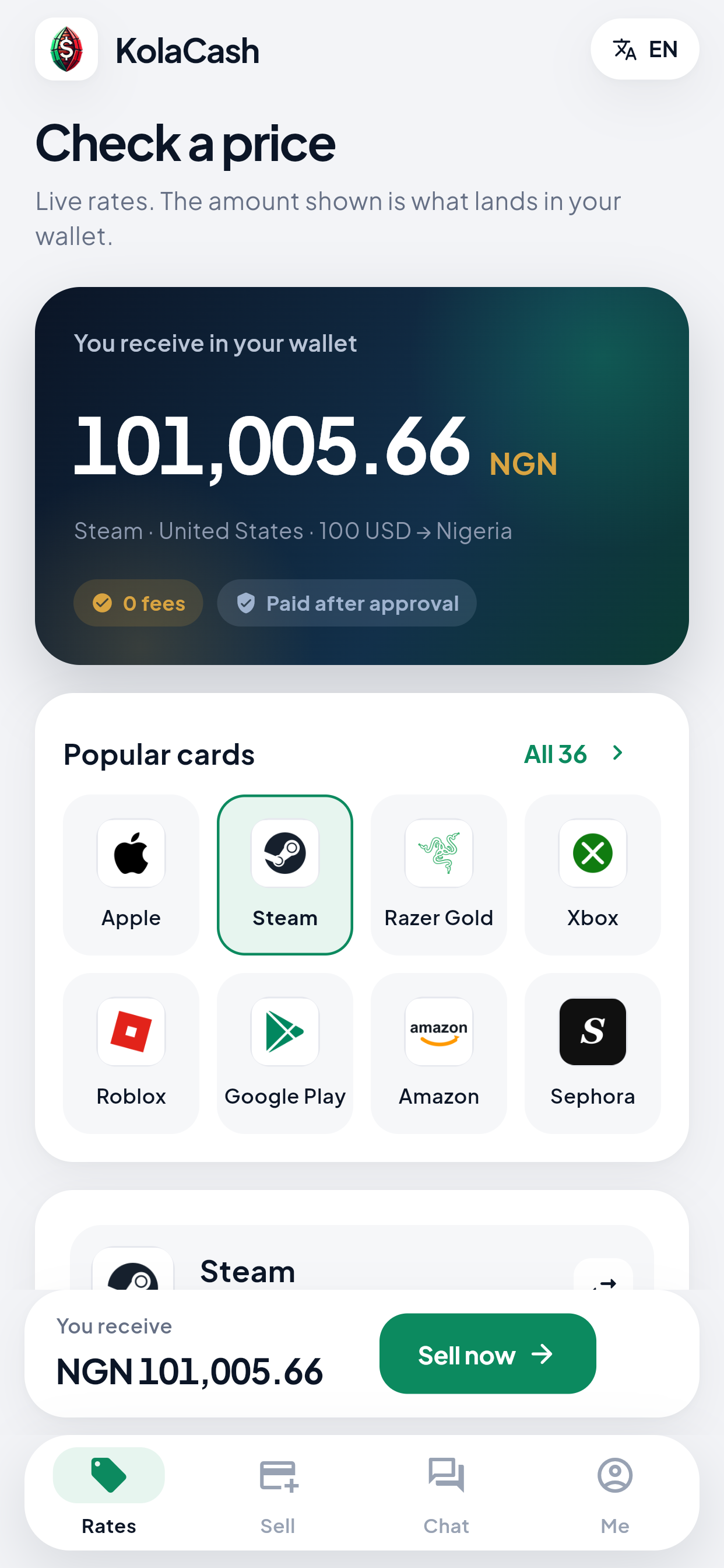
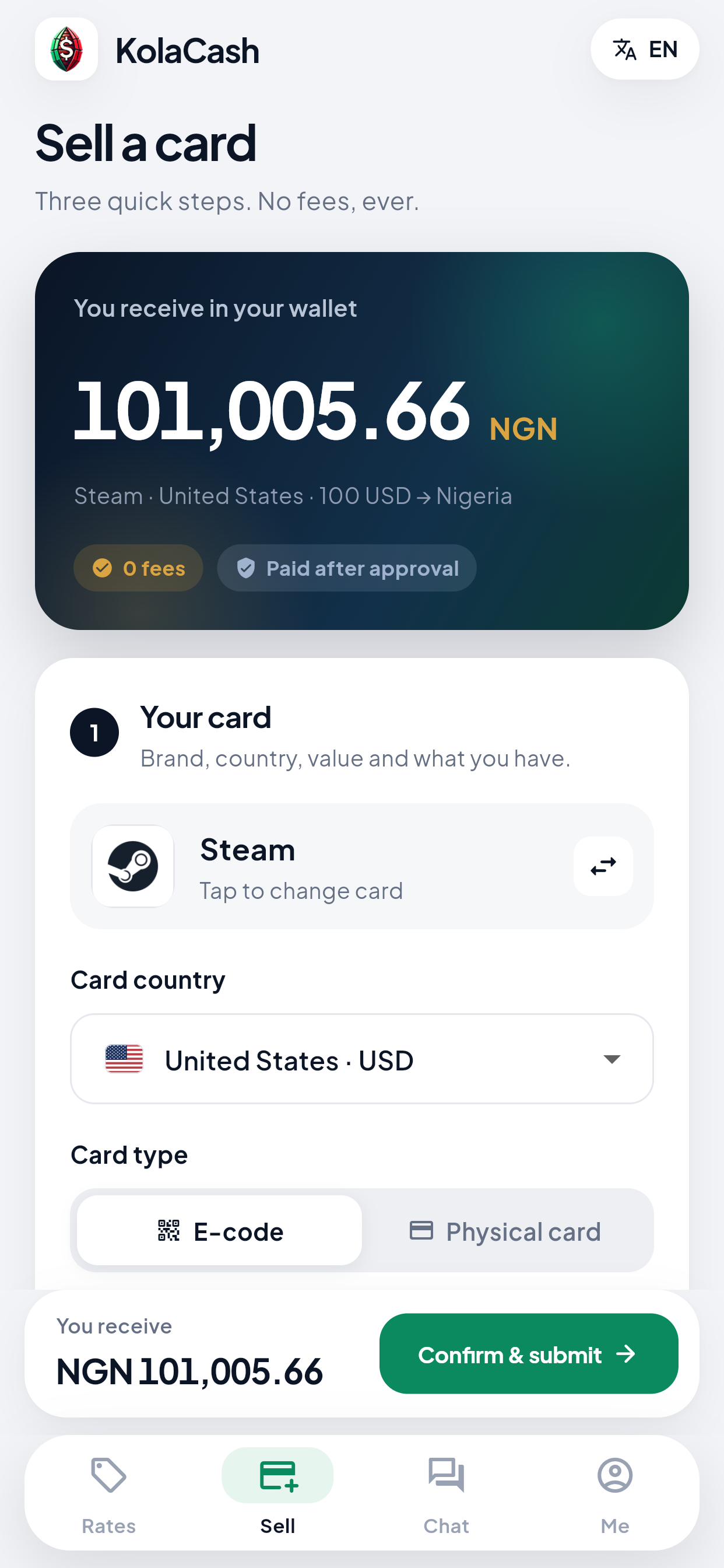
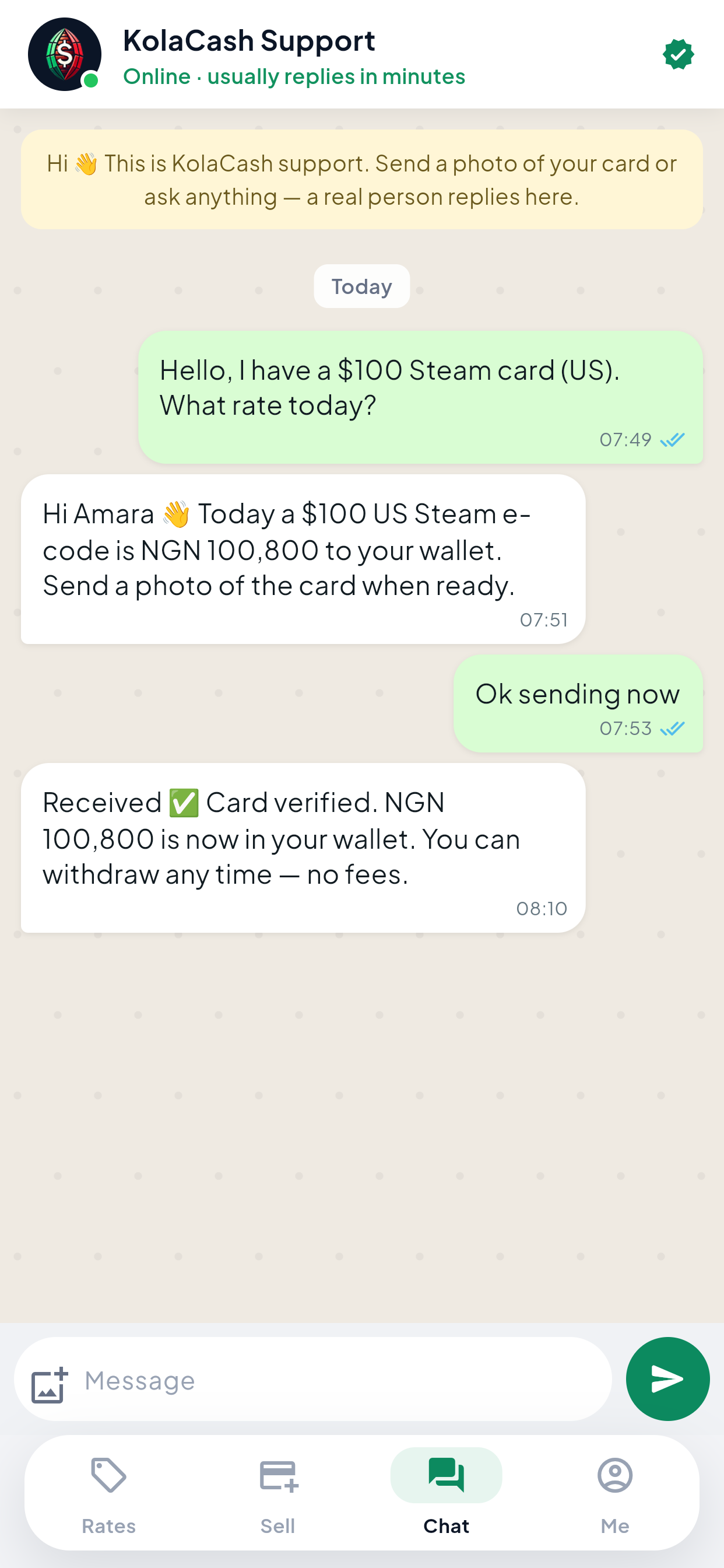
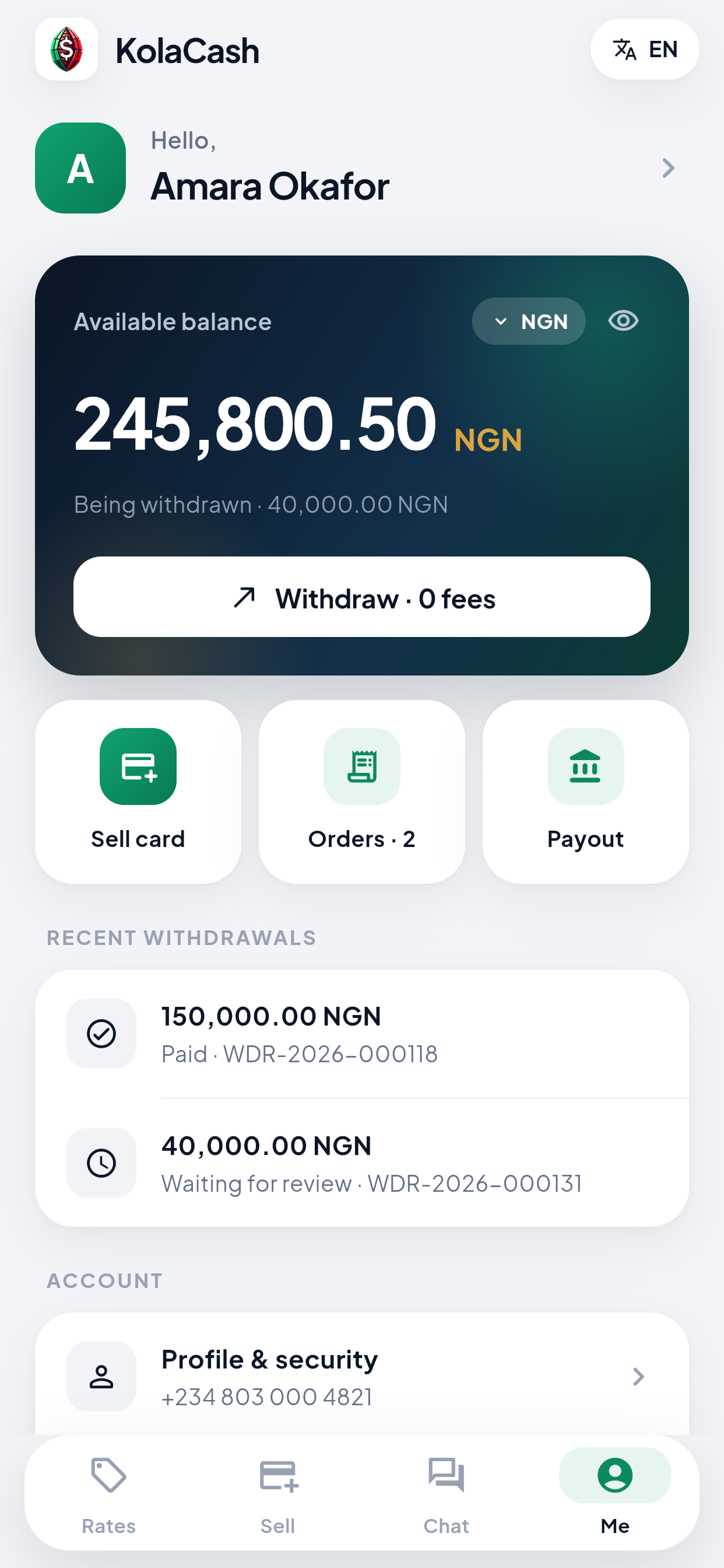
Interface examples used in the current App Store listing. Prices, balances, orders and conversations shown are demonstration data, not current quotes or customer testimonials. Check the app for your available quote, payout options and account status.
Choose your local payout market
KolaCash serves customers across Francophone Africa, Kenya, Ghana and Nigeria. App Store availability, phone registration and payout options are separate: check the options shown for your account before submitting a card.
Registration accepts phone numbers from Nigeria, Ghana, Kenya, Cameroon, Bénin, Côte d’Ivoire, Senegal, Burkina Faso, Mali and Niger. You can also sign up with Telegram or use web registration.
You can also check gift card rates on the website and browse gift card products. These website choices remain available alongside the iPhone app.
Invite friends: 0.5% commission and USD5 bonus vouchers
Invite a friend and earn 0.5% when successful sale proceeds reach their wallet. When their cumulative completed, paid withdrawal principal reaches USD100, you both unlock a USD5 bonus voucher. See earnings, progress and vouchers in Invite friends.
0.5% from successful trades
Your commission is 0.5% of the amount actually credited to your friend’s wallet after any loan repayment. For example, USD100 of net wallet credit gives USD0.50 commission. Card face values and quoted amounts are not the basis.
USD5 for each of you
When your friend’s cumulative completed, paid withdrawal principal reaches USD100, you and your friend each unlock one USD5 bonus voucher, once per friend. Fees and rewards do not count toward that principal.
Use one voucher per withdrawal
A voucher adds a bonus to an eligible withdrawal and cannot be withdrawn as standalone cash. Vouchers do not expire, and each withdrawal can use at most one. The app shows eligibility and the exact confirmation amounts.
Existing invitations can qualify, but only actual wallet credits and paid withdrawal principal after the rewards program starts count. Earlier amounts are not added retrospectively. The commission and the USD5 vouchers are separate benefits.
Application KolaCash pour iPhone et Android : vendez vos cartes cadeaux et suivez vos commandes
Consultez les prix, envoyez les informations de votre carte et suivez son traitement. Retrouvez votre solde, le statut de vos retraits et notre équipe de support dans l’application.
Consultez le prix
Choisissez la carte, sa région, son format et sa valeur, puis le pays de paiement disponible.
Envoyez votre carte
Connectez-vous pour fournir les informations et les photos demandées. L’équipe examine votre demande.
Suivez le traitement
Consultez vos commandes, votre solde et le statut de vos demandes de retrait.
Contactez le support
Utilisez Chat pour échanger avec notre équipe et envoyer des photos dans l’application.
Parrainage : 0,5 % de commission et bons de bonification de 5 USD
Invitez un ami et gagnez 0,5 % lorsque le produit d’une vente réussie est crédité à son portefeuille. Quand le capital cumulé de ses retraits terminés et payés atteint 100 USD, chacun de vous débloque un bon de bonification de 5 USD. Consultez vos gains, la progression et vos bons dans Inviter des amis.
0,5 % après une transaction réussie
La commission représente 0,5 % du montant net réellement crédité au portefeuille de votre ami, après tout remboursement de prêt. Par exemple, 100 USD nets donnent 0,50 USD de commission. La valeur de la carte et le devis ne servent pas de base.
5 USD pour chacun
Quand le capital cumulé des retraits terminés et payés de votre ami atteint 100 USD, chacun de vous débloque un bon de bonification de 5 USD, une seule fois par ami. Les frais et récompenses ne comptent pas dans ce capital.
Un bon par retrait
Le bon ajoute un bonus à un retrait éligible et ne peut pas être retiré seul en espèces. Il n’expire pas ; chaque retrait peut utiliser au maximum un bon. L’application affiche l’éligibilité et les montants exacts à confirmer.
Les parrainages existants peuvent participer, mais seuls les crédits réels du portefeuille et le capital des retraits payés après le démarrage du programme comptent. Aucun montant antérieur n’est ajouté rétroactivement. La commission et les bons de 5 USD sont deux avantages distincts.
Android : version 2.0.4 (build 16). iPhone : version 2.0.4 sur l’App Store. Vous utilisez déjà Android ? Téléchargez la version 2.0.4 (build 16) et installez-la sur votre application KolaCash existante. Ne désinstallez pas l’application avant la mise à jour. Connectez-vous avec le même compte.
iOS 15 minimum. L’interface de transaction propose l’anglais et le français ; certaines étapes d’inscription et de connexion restent en anglais. Les captures ci-dessus sont des exemples d’interface : montants et conversations de démonstration.
L’inscription accepte les numéros du Nigeria, du Ghana, du Kenya, du Cameroun, du Bénin, de Côte d’Ivoire, du Sénégal, du Burkina Faso, du Mali et du Niger. Vous pouvez aussi vous inscrire avec Telegram ou sur la version web.
KolaCash app questions
Where can I download the official KolaCash app?
Use the App Store link on this page and check that the app is KolaCash by Kolacash Limited. The iPhone app requires iOS 15 or later. Availability depends on your App Store country or region. On Android, download the app from the Android button on this page.
What can I do in the KolaCash app?
Check gift card quotes, submit card details and supporting images, track your orders, view your wallet and withdrawal status, and chat with the KolaCash team inside the app.
Can I check a gift card quote before creating an account?
You can browse the Rates screen before signing in. Select the available card, issuing region, format, value and payout country. Sign in to submit a trade or use account features.
How do gift card review and withdrawals work?
Submit your card details for review. An approved trade is credited to your local-currency wallet. You can then request a withdrawal to an available saved payout account and follow its status. A quote is not a promise of approval or an immediate payment.
Does KolaCash support English and French?
The main trading interface offers English and French. Some account registration and sign-in steps are currently in English. Supported payout options depend on the country and account you select.
Can I keep using the website or contact the team?
Yes. The web app, website calculator and official WhatsApp and Telegram contact options remain available. Existing customers can update the app and sign in; there is no need to create a second account.
Get the official KolaCash app for iPhone and Android
Look for KolaCash by Kolacash Limited on the App Store. Already using KolaCash? Update your app and sign in to your account.
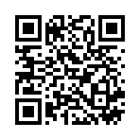
On a computer? Scan with your iPhone camera to open the official App Store page. Requires iOS 15 or later; availability follows your App Store region.
App information reviewed on 8 October 2026. App Store version: 2.0.4. Android download: 2.0.4 (build 16).